Product Version: OBM: All Versions
Operating System: Windows Server 2008 or above
Description:
What are the restriction for the temporary storage location of a system state (System State backup module) or system backup (MS Windows System backup module)?
Content:
Please refer to the following restrictions imposed by Microsoft's Windows Server Backup Feature (WSB) on the storage location for the MS Windows system and system state backup module.
For System State backup (System State Backup module):
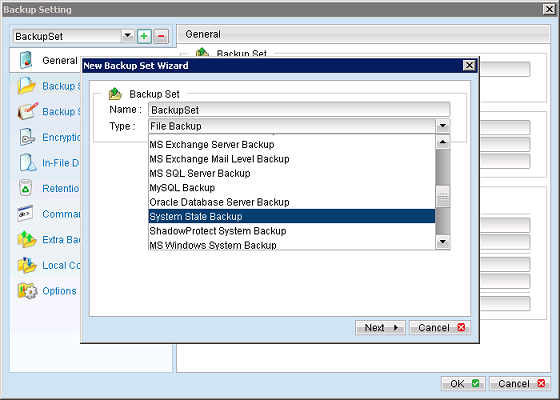 The target volume cannot be a:
- Critical volume (by default). Critical volumes refers to the volumes present on the system which house the operating system and other files which are essential for the OS to function properly. In the event of a disaster these volumes are required to bring your server back up and running.
- Source volume (by default). Source volume is any volume that contain a file that is included in the backup (e.g. component selected to be included in the system state data by the WSB during the backup, you do not have the option to exclude any file).
- Network share (for Windows Server 2008 only). Network share refers to a Universal Naming Convention (UNC) path to a remote shared folder. Important: This restriction only implies to Windows Server 2008. For Windows Server 2008 R2 or above, the target volume can be a network share.
To change the default behavior to allow the target to be a critical or source volume, add the 'AllowSSBToAnyVolume' registry entry to the target server. Refer to the technote for details:
http://support.microsoft.com/kb/944530
Note that, there are known issues with storing a system state backup on a source volume:
- Backup can fail, the backup may be modified during the backup process, which might cause the backup to fail.
- It causes an inefficient use of target space.
Important: Twice the amount of space is necessary for a backup than for the original data. The volume must allocate twice the amount of space for the shadow copy process.
For System Backup (MS Windows System Backup module):
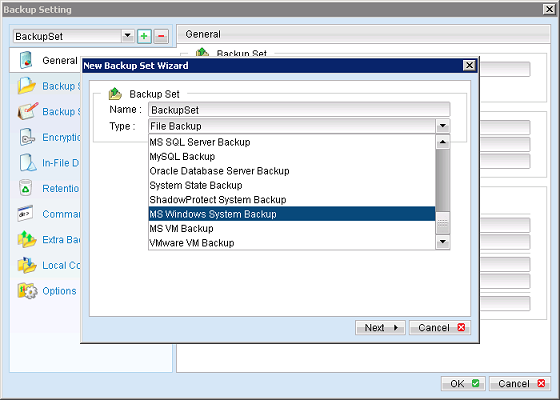
Figure 2.0 - OBM (New Backup Set Wizard - MS Windows System Backup)
The target volume cannot be a:
- Critical volume.
- Source volume.
Critical volumes refers to the volumes present on the system which house the operating system and other files which are essential for the OS to function properly. In the event of a disaster these volumes are required to bring your server back up and running.
Source volume is any volume that is selected for backup (e.g. volume selected in the backup source setting).
Important: Unlike system backup, no registry change can workaround such restriction.
For both system and system state backup, the target volume cannot be a subdirectory on a local volume.
Windows Server Backup will enforced system and system state data to a 'WindowsImageBackup' folder on the root of the local volume:
{backuptarget}:\WindowsImageBackup
Summary table of all restrictions:
Critical Volume Non-critical Volume USB Volume Network Share Subdirectory Source Volume
System
No
Yes
Yes
Yes
No
No
System State
Yes 1
Yes
Yes
Yes 2
No
Yes 1
1 Registry modification required: http://support.microsoft.com/kb/944530
2 For Windows 2008 Server R2 or above.
Note:
For best performance, it is strongly recommended to use a local dedicated volume for storage for the backup.