Operating System: All platforms
Description:
During backups of virtual machines the VMware API's may have problems collecting the change block tracking information of a specific virtual machine. When this occurs it may be necessary to reset CBT for the virtual machine.
Steps:
To reset CBT for a guest virtual machine, please refer to the following instruction:
Note:
Before resetting CBT, it is recommended to delete any snapshots that are listed in the virtual machine's snapshot tree under Snapshot Manager in vSphere.
Click for Instruction.
- Power off the virtual machine.
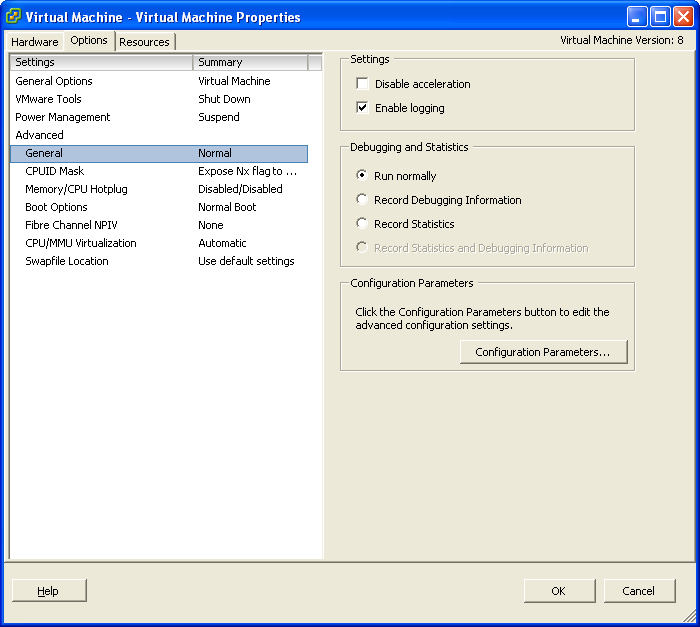
- Right click on the virtual machine and select Edit Settings. Select the Options tab, then under Advanced, click General.
- Click the box for Configuration Parameters:
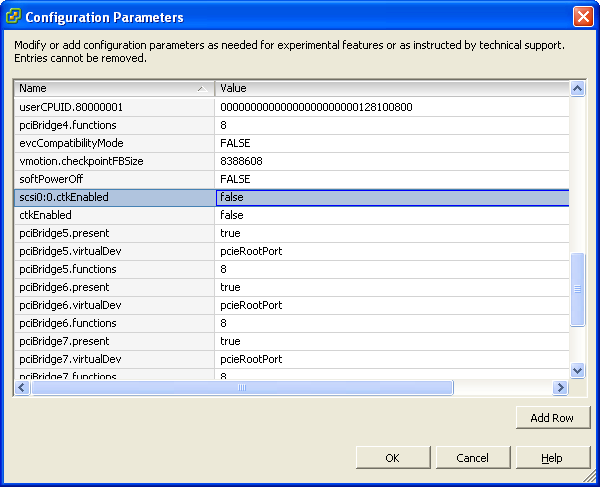
- Locate the 'ctkEnabled' parameter and change the value to false.
- Locate the disk's CBT parameter 'scsi0:x.ctkEnabled' and change the value to false.
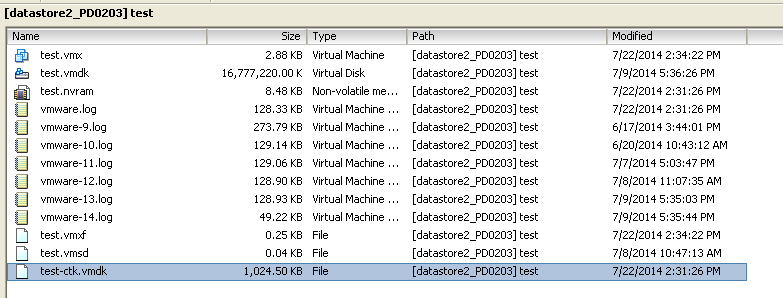
- In vSphere, open the corresponding datastore that the virtual machine is stored on, remove any -CTK.VMDK files:
- Power on the virtual machine.
- After the virtual machine has completed it's boot sequence, power off the virtual machine again.
- Power on the virtual machine again.
- Login to the OBM user interface afterward, access the Backup Source menu of the VMware VM backup set.
- Make a temporarily change to the backup source, for example, selecting or de-selecting 'Settings' in the Backup Source menu, then change to another tab, such as the Backup Schedule tab.
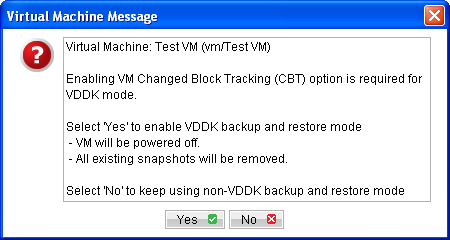
- Select Yes when prompted to confirm (CBT will get enabled at that time):
Note:
x is the number for the VMDK file, for example scsi0:0.ctkEnabled would be the first VMDK for the virtual machine.
There may be multiple listings for this entry if the virtual machine has multiple VMDK files. All entries must be set to false.
Note: This step is required to update the CTK tables for the virtual machine.